

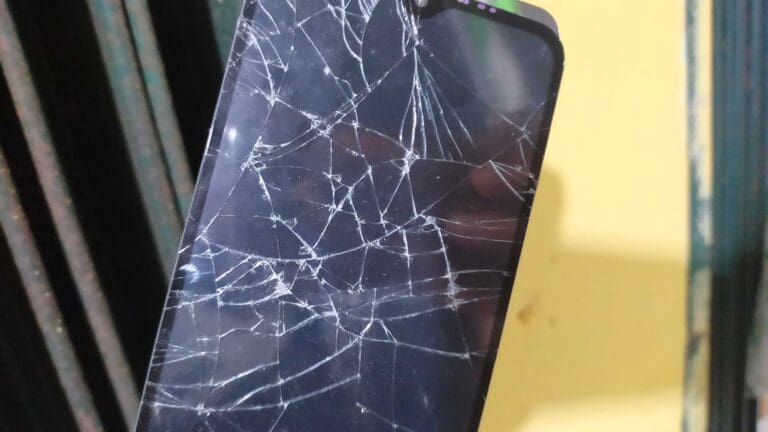
A damaged Android phone can quickly turn a small problem into a major one. Your screen may be broken, the display may stay black, or the phone may stop responding while your important photos, messages, and other data are still stored on it.

However, the good news is that, in some cases, data is still recoverable.
To begin with, the most suitable Android data recovery software can help you to find what is recoverable based on the state of the device.
In this guide, we’ll look at the recovery options available (including WhatsApp data), and the limitations you need to understand before taking any steps.
Alt: recover deleted data from a broken android phone
Part 1. Assess the Phone Condition and Protect Remaining Data
Before trying any Android data recovery application, first figure out what parts are still working.
Device is turned on and responsive: You may be able to unlock the phone, connect it to a computer, and transfer the files you need.
Phone screen is black, but the device is still active: Try to find out if it reacts to charging, calls, or other indications of activity. Your chances of recovery rely on whether you can unlock and authorize the phone.
The phone has stopped working: Don’t try to fix it by force or restart it multiple times. Instead, avoid actions that could make data recovery more difficult.
The phone is physically damaged: You should not use it anymore if it becomes too hot.
For now, the priority is not to reset your phone just because you want it to work again. That will erase any data you are trying to recover! Also, avoid installing new apps or adding large amounts of data, as this can overwrite deleted data that may still be recoverable.
Part 2. Standard Recovery vs. Broken-Phone Recovery
Not all deleted files require a special recovery process. If your Android phone is powered on, can still be unlocked and accessible without any issues, you can try the regular recovery process. This involves exploring backups, stores, trash folders or scanning with an android data recovery software tool that can detect supported data.
A broken phone however is a different case.
You are likely to have a broken display, black screen or nothing at all; in such cases normal recovery may not help. Some third-party Android recovery tools support broken or damaged devices, but they have limitations. They cannot recover data from every unresponsive phone.
Broken-phone recovery may extract data that is still available on the device. A broken-phone workflow does not automatically mean that all previously deleted files can be recovered
Part 3. Dr.Fone – Data Recovery (Android) | Recovery Paths for Supported Android Cases
If your phone is being recognized by a computer, Dr.Fone – Data Recovery (Android) presents you with several ways through which you can recover lost data.
It scans supported Android phones but also Google Drive backups as well as the internal storage of broken phones. Dr.Fone – Data Recovery (Android) comes with support for 14+ file types and over 6,000 Android models. These include photos, videos, contacts, messages, calls, documents, WhatsApp, and WhatsApp Business data, respectively.
For a broken phone, Dr.Fone provides two possible ways to retrieve data according to how much the screen is damaged. One way to recover data if the screen still turns on but the touch screen is unresponsive is under “Screen on but Unresponsive” mode. This one is for Android phones of different brands.
For a black or broken screen, the recovery option is limited to certain older Samsung models.
Part 4. Recovering Data from a Supported Broken Phone
Dr.Fone – Data Recovery (Android) allows recovery of supported WhatsApp and WhatsApp Business data (chats, attachments) from a broken Android phone, provided the device and recovery mode are supported. Data recovery is simple, as it shows a preview of available data before you decide which data needs to be recovered. If the screen is damaged but still visible, you may be able to control the phone with a mouse and select the data you want to recover.
Note: Recovery results depend on the device, Android version, data type, recovery source, and whether the deleted data remains recoverable.
Wondering how do you retrieve deleted WhatsApp messages on Android? Here is the guide!
Step 1. Open Wondershare Dr.Fone on your computer. From the main screen, go to Toolbox > Data Recovery > Android. On the next screen, select Recover from Broken Phone to continue with the broken-device recovery process.
Step 2. Go back to the device symptom screen and choose the option that matches a black screen or broken display. Then click Next.
Note: This recovery option is available for a number of older Samsung models, and it is used for devices where the screen fails to display the contents because the screen is damaged or shows the black screen.
Step 3. Select the correct Device Name and Device Model. Check I agree with the warning, and I am ready to proceed, then click Next.
Step 4. Click Confirm, and follow the on-screen instructions to put the Samsung phone into Download Mode. Click Next once it is ready.
Step 5. Preview available results and save selected files to the computer.
Part 5. Compatibility Limits and Data-Safety Tips
Compatibility Check First: Most Android phones support Screen on but Unresponsive, whereas black/break screen recovery is only for older Samsung models.
Factory-resetting the phone or adding lots of new data can make deleted files harder to recover. Do not factory-reset the phone or add a lot of new data.
When recovering black-screen Samsung phones, you need to pick the exact device model. Choosing an incorrect model may prevent the recovery workflow from completing and could cause device issues.
Before starting the recovery, view the results. What data you will get after the recovery largely depends on the phone, the data type, and the recovery method used.
Conclusion
A broken phone does not always mean the data stored on it is inaccessible. Dr.Fone may help extract available files from supported broken Android devices and preview what can be recovered. But accessing existing data and recovering previously deleted files are not the same thing. The result depends on the phone, its condition, and whether the deleted data is still recoverable.